A cleaner, faster, and easier to use Mutual Action Plan
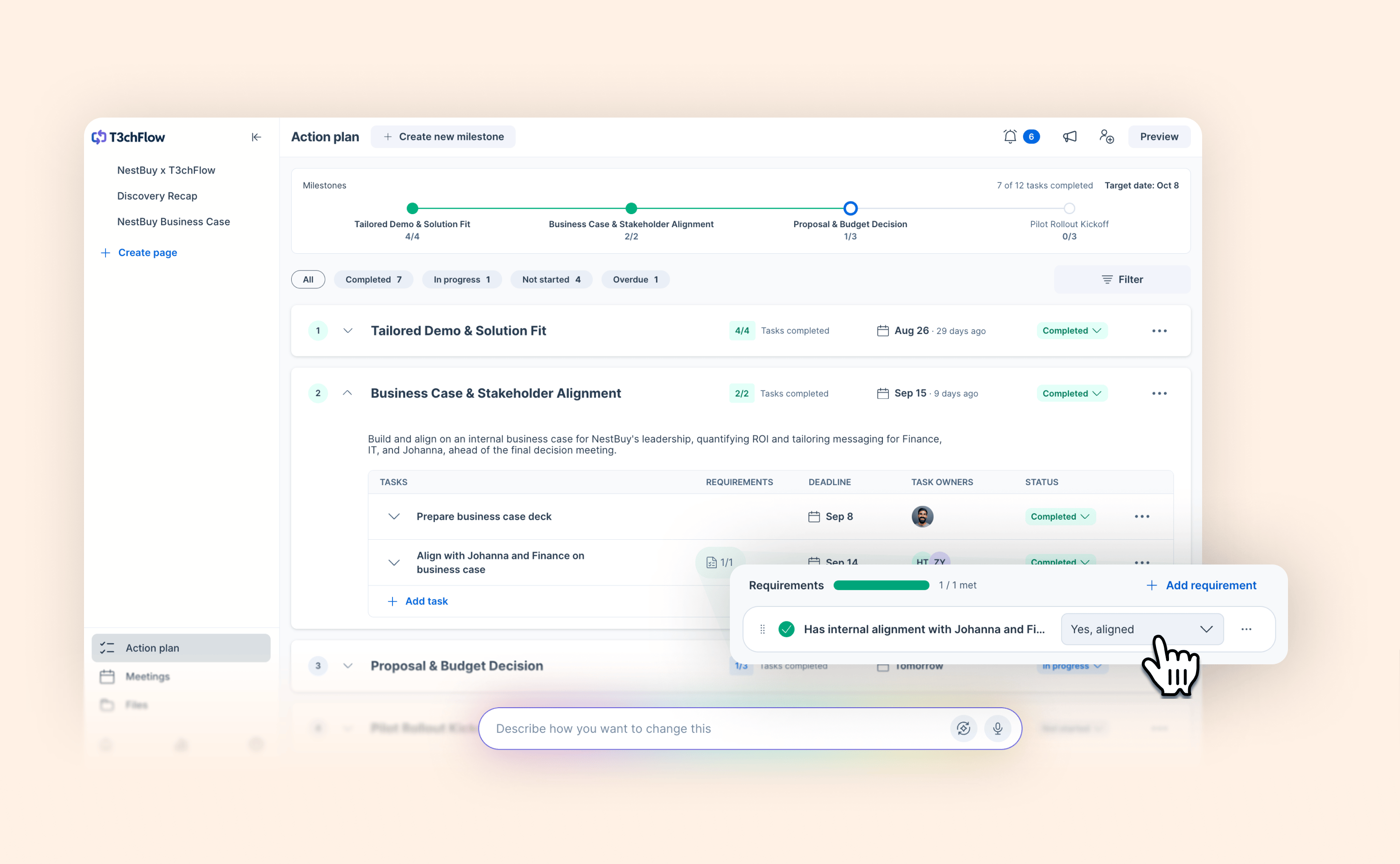
The Mutual Action Plan (MAP) is where buyers and sellers align on what happens next, and keeping a deal on track means keeping the MAP easy to read and easy to update.
The redesigned MAP gives reps a clear picture of the deal at a glance. Milestones are front and center; tasks sit inside them, collapsed by default, so the overall shape of the plan is visible without scrolling through every individual action.
Here's everything that’s changed:
-
Milestone-first layout with collapsible tasks: better overview of the full plan upfront, with detail on demand
-
Inline editing: update task name, owner, due date and status directly in the plan. Changing a task owner now takes two clicks instead of four.
-
Smart filters: instantly surface overdue tasks, your tasks, or tasks by company or individual
-
Hide/show controls at milestone and task level: progressively reveal or tidy up the plan as the deal moves forward
-
Task requirements: attach file upload, free text, date, number, or dropdown requirements to tasks that buyers must complete before marking them done — keeping information collection tied to the step it belongs to